RecipeScaler app icon RecipeScaler

Halve it. Double it.
Skip the math.

Cooking for two tonight, or twelve this weekend? Tell RecipeScaler how many you're feeding and it rescales every ingredient for you — in real fractions, not weird decimals.

Download on theApp Store Free · iPhone · iOS 17+
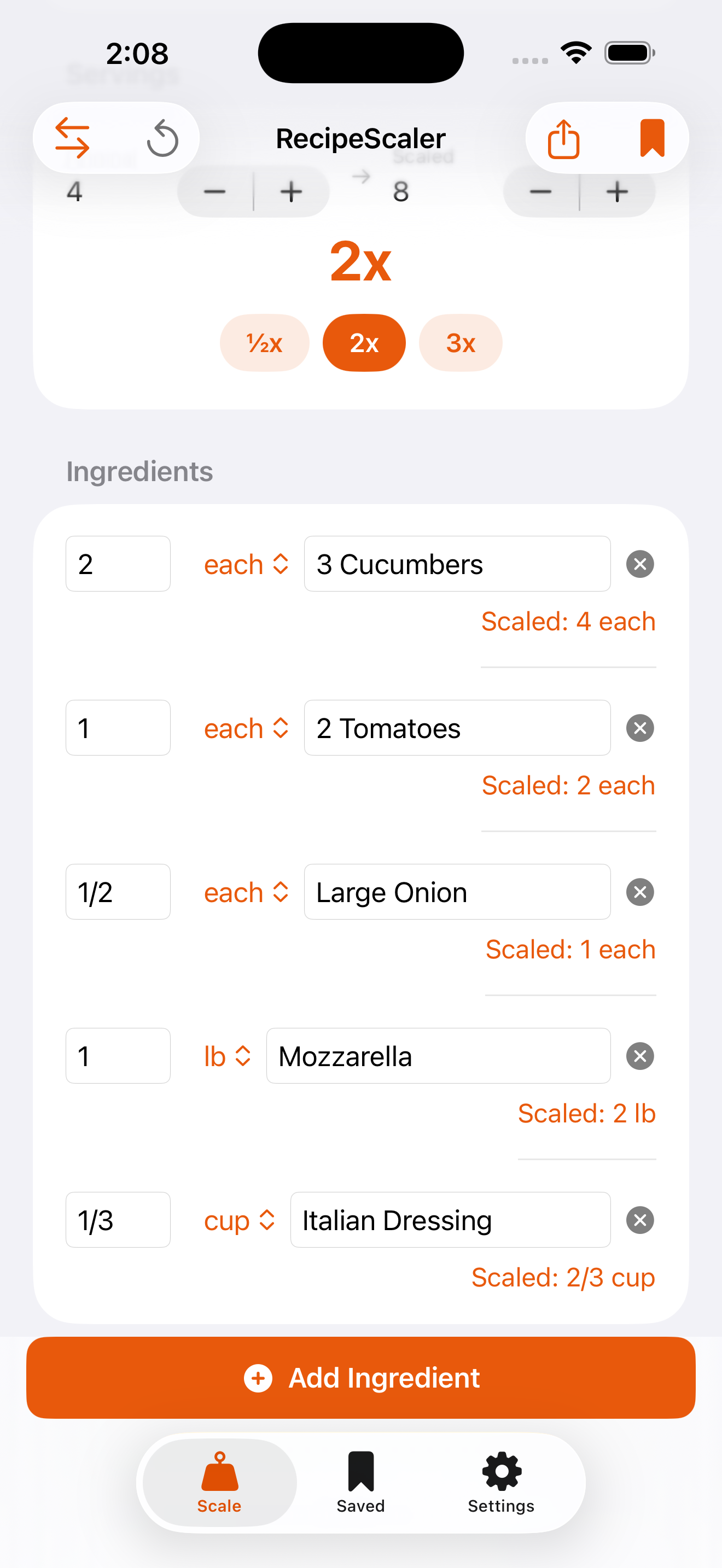
Scaled to 2× automatically
RecipeScaler scaling a cucumber salad recipe to double the servings

RecipeScaler is a free iPhone app that scales any recipe to the number of servings you actually need — and scans printed recipe cards with your camera.

No account. No internet. No little notepad of scribbled "okay so if I want 1.5 batches…" math. Just the amounts you need, ready to cook.

½ · 2× · 3×

Scale in one tap

Punch in the servings — or hit the quick buttons — and every ingredient updates at once. Halving dinner for just you? Done. Tripling cookies for the bake sale? Also done.

📷

Scan the recipe card

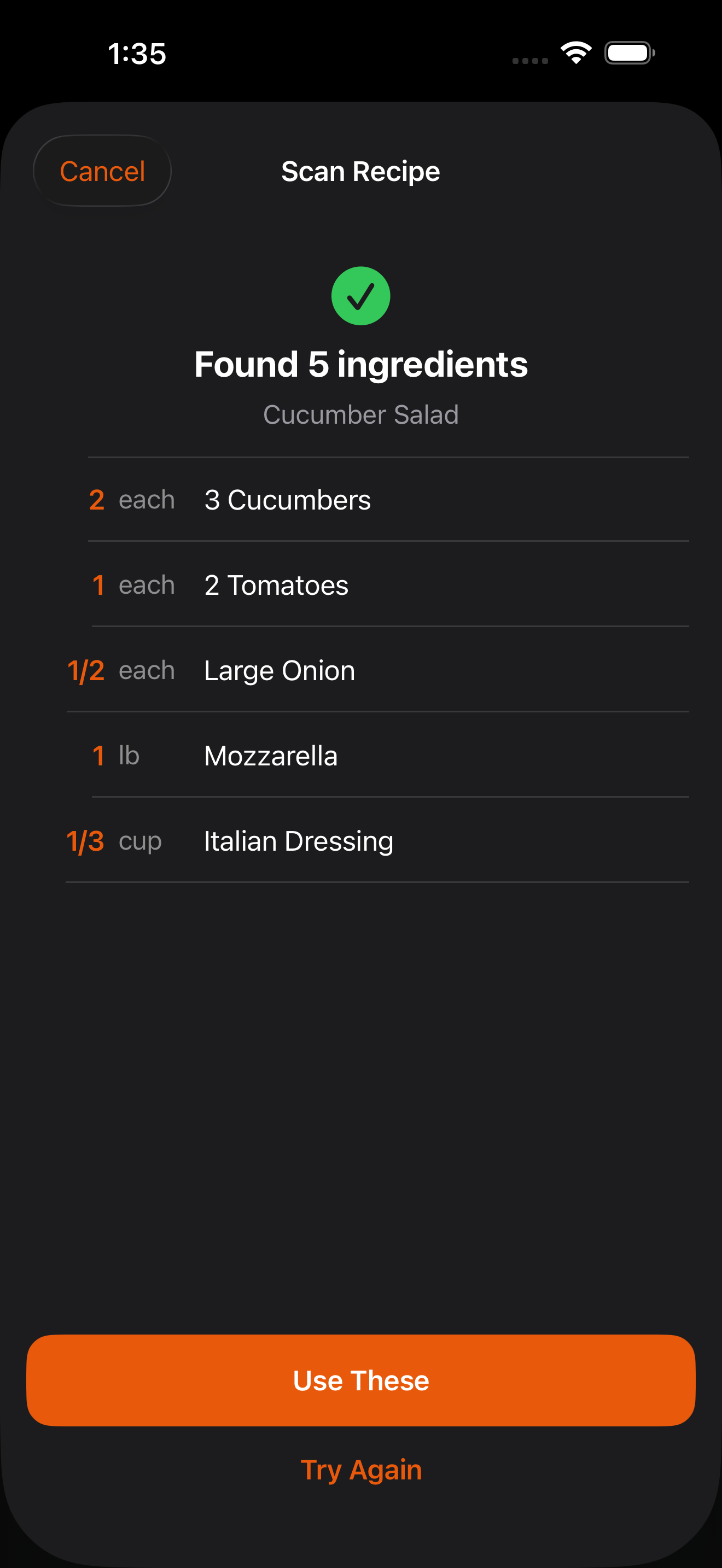
Got a recipe on paper or in a cookbook? Snap a photo and RecipeScaler reads the ingredients straight off the page, so you're not retyping a thing.

¼ cup

Real fractions, real units

You get "¼ cup," not "0.25 cups." And when a recipe's in grams but your measuring cups aren't, the built-in converter sorts it out.

Scan & go

Point your camera at the page

That stained index card from your mom, a photo from a cookbook, a printout from a website — snap it and the ingredients land in the app, ready to scale. It all happens right on your phone, so nothing gets uploaded anywhere.

Read straight from a photo
RecipeScaler showing five ingredients it found after scanning a recipe card
Cups to grams, sorted

Stop guessing at conversions

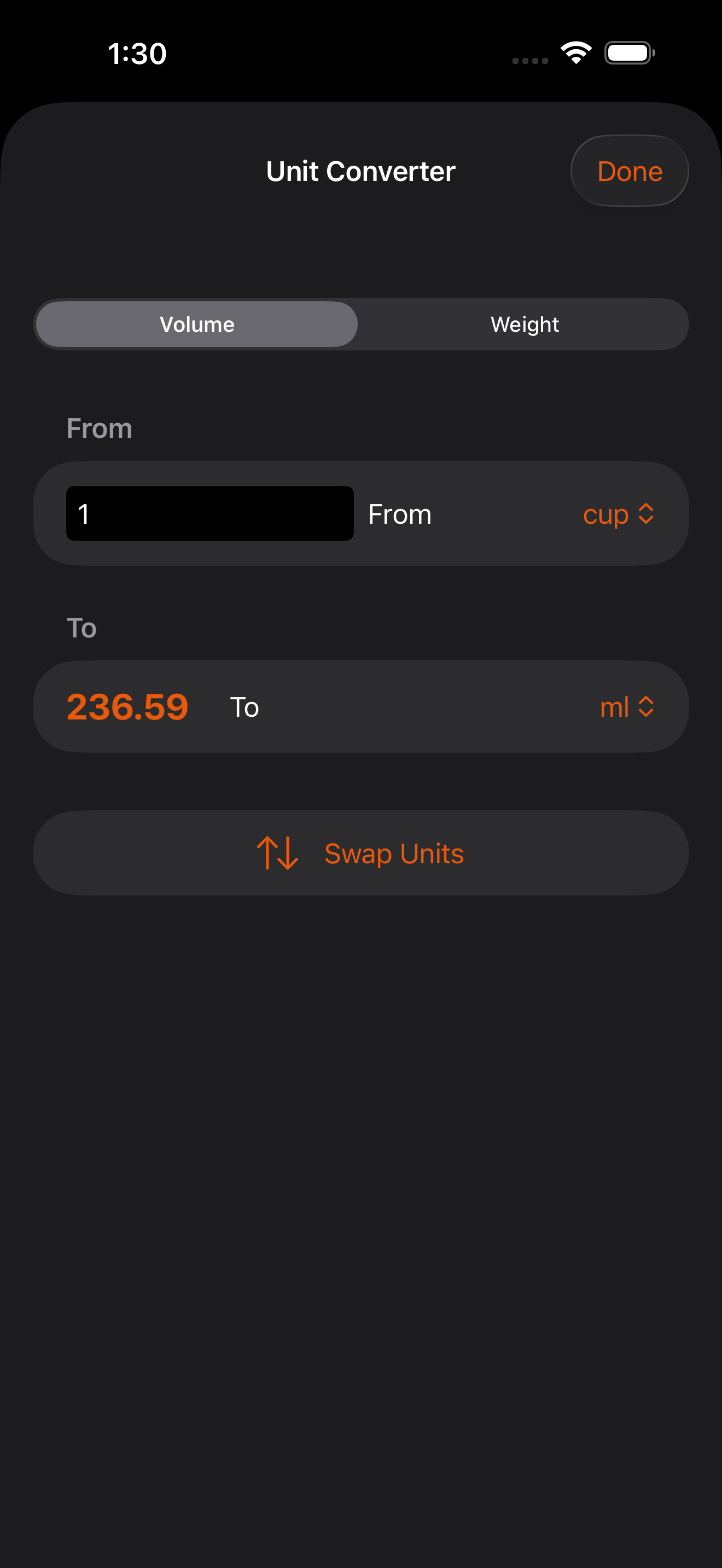
Cups, tablespoons, teaspoons, fluid ounces, milliliters, liters, grams, kilograms, ounces, pounds — convert between any of them without leaving the kitchen to go look it up. Nice and quick when you're mid-recipe with floury hands.

Cups → grams in a tap
RecipeScaler's built-in cooking unit converter

The honest answers

Is it free?

Yep. Scaling recipes, scanning cards, and the unit converter are all free to use. There's an optional one-time $1.99 Pro upgrade (not a subscription) if you want unlimited saved recipes, a shopping list, and a full-screen Cook Mode that keeps your screen awake while you cook.

Does it work without internet?

It does. Everything runs right on your iPhone — no account, no sign-in, no connection needed. You can scale a recipe on a plane or in a cabin with zero bars.

How does scanning a recipe actually work?

You take a photo of a printed recipe — a card, a cookbook page, a printout. The app reads the ingredients using Apple's on-device text recognition and drops them into a list you can scale instantly. The photo never leaves your phone.

Can it handle grams and cups?

Yes — the built-in converter moves between cups, tablespoons, teaspoons, fluid ounces, milliliters, liters, grams, kilograms, ounces, and pounds. And it shows everything as tidy fractions instead of long decimals.

What about my privacy?

There's nothing to worry about here. No data collection, no tracking, no ads, no account. Your recipes and photos stay on your device, full stop.
From our kitchen

Real recipes we actually cook at home — scan or scale any of them right in the app.

Chicken Noodle Soup

Cozy one-pot soup · Serves 4

Fish Tacos & Sweet Potato Fries

Gluten-free sheet-pan dinner · Serves 2

Stir Fry Veggies

Quick garlicky side · Serves 6

See all recipes →

Get cooking for any crowd

Free on the App Store. Works on iPhone, iOS 17 and up.

Download on theApp Store